

Free stylish name generator with 300+ fonts

把海报、截图和插画自动拆成独立 PNG 素材,打包下载后继续用于设计与排版。新用户可免费上传 1 张图片预览,下载需付费。
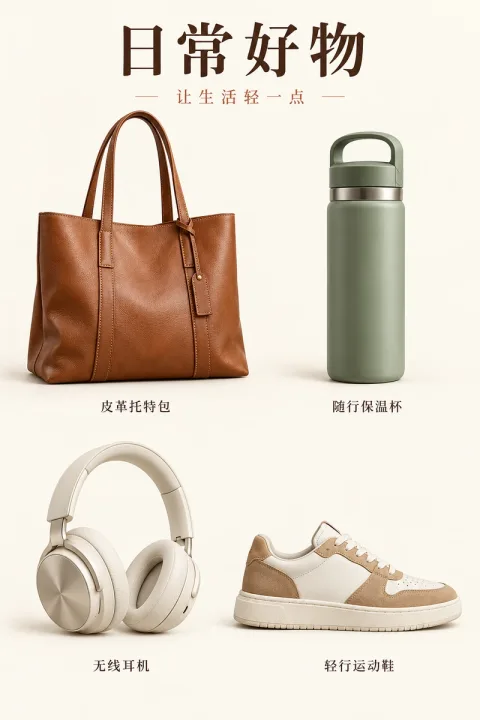
EasyPick is an online tool that takes a flat image — a product poster, a screenshot, an illustration — and separates the elements inside it into individual PNG assets. Instead of tracing and masking each piece by hand, you upload the file, preview how the split looks, and download everything as a single ZIP.
It handles PNG, JPG, and WebP input and is built for designers, e-commerce operators, and content creators who want to reuse pieces of an existing image in new posters, product listings, or presentations.
New users can upload one image free to preview the result, and downloads are purchased as one-time RMB credit packs (5, 10, or 50 images) or a permanent plan. Because output quality depends on the source image, previewing before buying is recommended.
Why teams choose 易切 EasyPick
EasyPick removes the tedious manual work of cutting flat images apart — upload a poster, screenshot, or illustration and get individual PNG assets back in a ZIP. It fits small design, e-commerce, and content teams that need reusable elements without opening a full editing suite.
Yes. New users can upload one image for free and preview the slicing result. Downloading the extracted PNG files requires a purchase.
Free stylish name generator with 300+ fonts

AI song maker: turn your idea or lyrics into complete songs

Turn a photo into viral AI video trends in one click. No reference clip or prompt needed.

Free AI image generator & photo editor (GPT Image 2.5)

Find PDF accessibility issues for free, with fix guidance

Record talking-head videos. Claude Code does the edit.